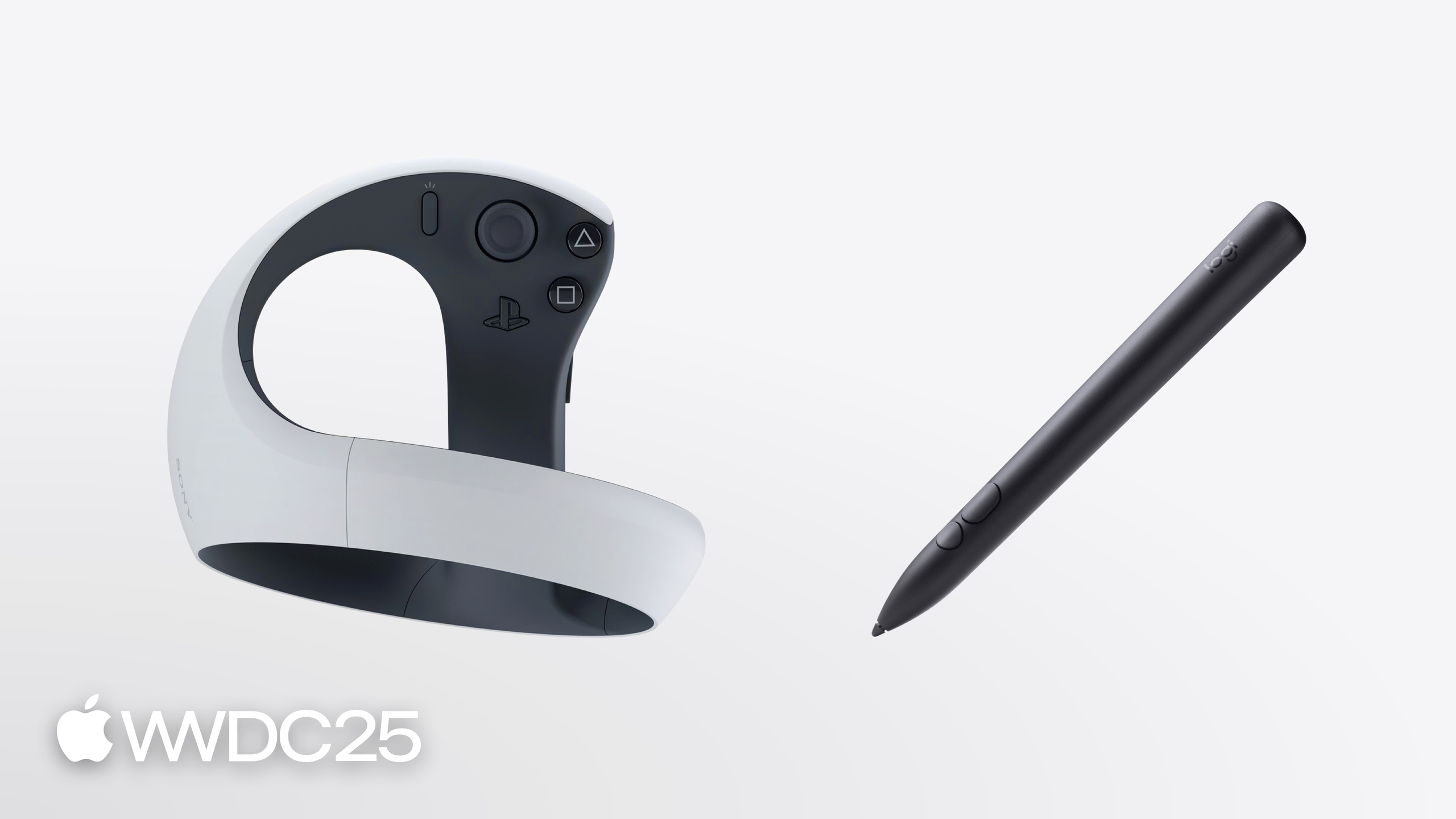
Explore spatial accessory input on visionOS
2025年6月9日
一句话判断
visionOS 终于支持实体手柄了。PS VR2 Sense 控制器和 Logitech Muse 是首批支持的空间配件,提供六自由度追踪和触觉反馈。GameController + RealityKit/ARKit 三件套打通,雕刻类和游戏类 app 的交互终于有了物理抓手。
这场 Session 讲了什么
Amanda Han 用一个数字雕刻应用演示了空间配件的完整开发流程。
支持的配件: PS VR2 Sense 控制器(按钮、摇杆、扳机,适合游戏)和 Logitech Muse(压感笔尖、侧键、触觉反馈,适合生产力和创意应用)。两者都可以在 shared space 和 full space 中使用。
连接管理走 GameController 框架。 通过 GCStylusDidConnect/GCControllerDidConnect 通知发现配件,检查 productCategory 确认是否支持空间追踪(.spatialStylus 或 .spatialController)。需要在 plist 中声明 Spatial Gamepad capability。
锚定用 RealityKit AnchorEntity。 创建 AccessoryAnchoringSource,指定追踪位置(如 aim),然后构建 AnchorEntity。追踪模式有两种:.predicted 用预测模型降低延迟(适合渲染和快速交互,但剧烈运动可能过冲)和 .continuous 更精确但延迟更高。
SpatialTrackingSession 新增 .accessory 配置。 启用后就能在 RealityKit 中获取 accessory anchor 的 transform 数据。
触觉反馈通过 haptics engine 实现。 从配件获取 haptics 对象,创建 engine,启动即可。在雕刻场景中,每切掉一块虚拟粘土就播放一段触觉反馈。
ARKit AccessoryAnchor 提供更丰富的信息: 手持方向(handedness/chirality)、相对运动、旋转变化、追踪质量。可以从 RealityKit AnchorEntity 通过 ARKitAnchorComponent 桥接到 ARKit anchor。
值得深挖的点
Predicted vs Continuous tracking 的选择很关键。 Predicted 模式用传感器融合预测下一帧位置,延迟低,适合渲染。但如果你在做精确测量类 app(比如用 Muse 测量真实物体),必须用 Continuous 模式。
只有当前 focused 且被授权的 app 能追踪配件位置。 这是隐私保护机制。在 plist 中设置 Accessory Tracking Usage Description 说明用途,用户会看到授权弹窗。
配件的锚点位置(aim/grip)是硬件定义的。 PS VR2 有 aim、grip、grip surface 三个锚点,Logitech Muse 只有 aim。你的代码需要检查配件是否支持你想要的锚点。
双手持握检测改变了 UI 布局逻辑。 通过 AccessoryAnchor.heldChirality 知道配件在哪只手里,据此决定工具栏显示在左侧还是右侧——这对 shared space 中的 UI 定位很重要。
代码片段
连接配件并锚定虚拟笔尖:
// 监听连接
NotificationCenter.default.addObserver(
    forName: .GCStylusDidConnect, object: nil, queue: .main
) { notification in
    guard let stylus = notification.object as? GCStylus,
          stylus.productCategory == .spatialStylus else { return }
    self.setupAnchoring(for: stylus)
}

// 创建锚点
func setupAnchoring(for stylus: GCStylus) {
    let source = AccessoryAnchoringSource(stylus)
    let anchor = AnchorEntity(
        .accessory(source, location: .aim, trackingMode: .predicted)
    )
    // 添加虚拟笔尖模型
    let tip = try await Entity(named: "PenTip", in: realityKitContentBundle)
    anchor.addChild(tip)
    content.add(anchor)
}

// 开启 SpatialTrackingSession 获取 transform
let config = SpatialTrackingSession.Configuration(tracking: [.accessory])
let session = SpatialTrackingSession()
await session.run(config)
根据手持方向定位工具栏:
if let arkitAnchor = anchorEntity.components[ARKitAnchorComponent.self]?
    .arkitAnchor as? AccessoryAnchor {
    switch arkitAnchor.heldChirality {
    case .left:
        toolbarPosition = SIMD3<Float>(0.3, 0, 0) // 右侧显示
    case .right:
        toolbarPosition = SIMD3<Float>(-0.3, 0, 0) // 左侧显示
    default:
        break // 未持握时不显示
    }
}
最佳实践
设计自适应输入。 手和眼仍然是 visionOS 的核心输入方式,配件是增强而非替代。App 应同时支持 hands 和 spatial accessories,用 App Store 上的 “Spatial game controller support” badge 标识。
配件断连时优雅处理。 用 GCStylusDidDisconnect 通知重建 ARKit session,移除锚定的虚拟内容,避免残留幽灵对象。
full space app 中隐藏系统 UI。 配合 .persistentSystemOverlays(.hidden) 隐藏 home indicator,用 .upperLimbVisibility(.hidden) 隐藏上肢和配件模型,增强沉浸感。
Predicted 模式下避免测量类操作。 预测会引入偏差,如果需要精确坐标(如 CAD 应用),用 Continuous 模式或 ARKit 的 metric anchor API。
还有什么值得关注
- SwiftUI 视图现在可以同时接收手势和游戏控制器事件:
.receivesEventsInViewmodifier 让 spatial event gesture 自动携带配件的 chirality 信息。 - ARKit 的
AccessoryTrackingProvider提供了更底层的追踪 API,适合自定义渲染引擎(不用 RealityKit)的场景。 - 配件追踪需要用户授权。追踪质量会因摄像头和传感器覆盖下降而降低——ARKit AccessoryAnchor 的
trackingState会反映这一点。 - 配套视频:“Explore spatial accessory input on visionOS” 的 ARKit 部分有完整的 custom renderer 示例。