在 UIKit 中使用 SwiftUI
Use SwiftUI with UIKit
2022年6月6日
一句话判断
UIHostingController 的增强、SwiftUI 视图用作 UICollectionView/UITableView cell——这场 Session 是渐进式 SwiftUI 采用的实操指南。
这场 Session 讲了什么
Health 应用团队的 Sara Frederixon 以亲身经验讲解了如何在现有 UIKit 应用中逐步引入 SwiftUI。Session 覆盖了四个方面:UIHostingController 的更新、SwiftUI 视图与现有数据源的对接、用 SwiftUI 构建 Collection View 和 Table View cell、以及混合使用时的数据流管理。
核心观点是:不需要重写整个应用,可以从一个视图、一个 cell 开始逐步采用 SwiftUI。
值得深挖的点
UIHostingController 的灵活性。可以在任何能用 UIViewController 的地方使用 UIHostingController:push、present、嵌入 container view。今年的更新增加了更多配置选项,让 SwiftUI 视图更好地融入 UIKit 导航体系。
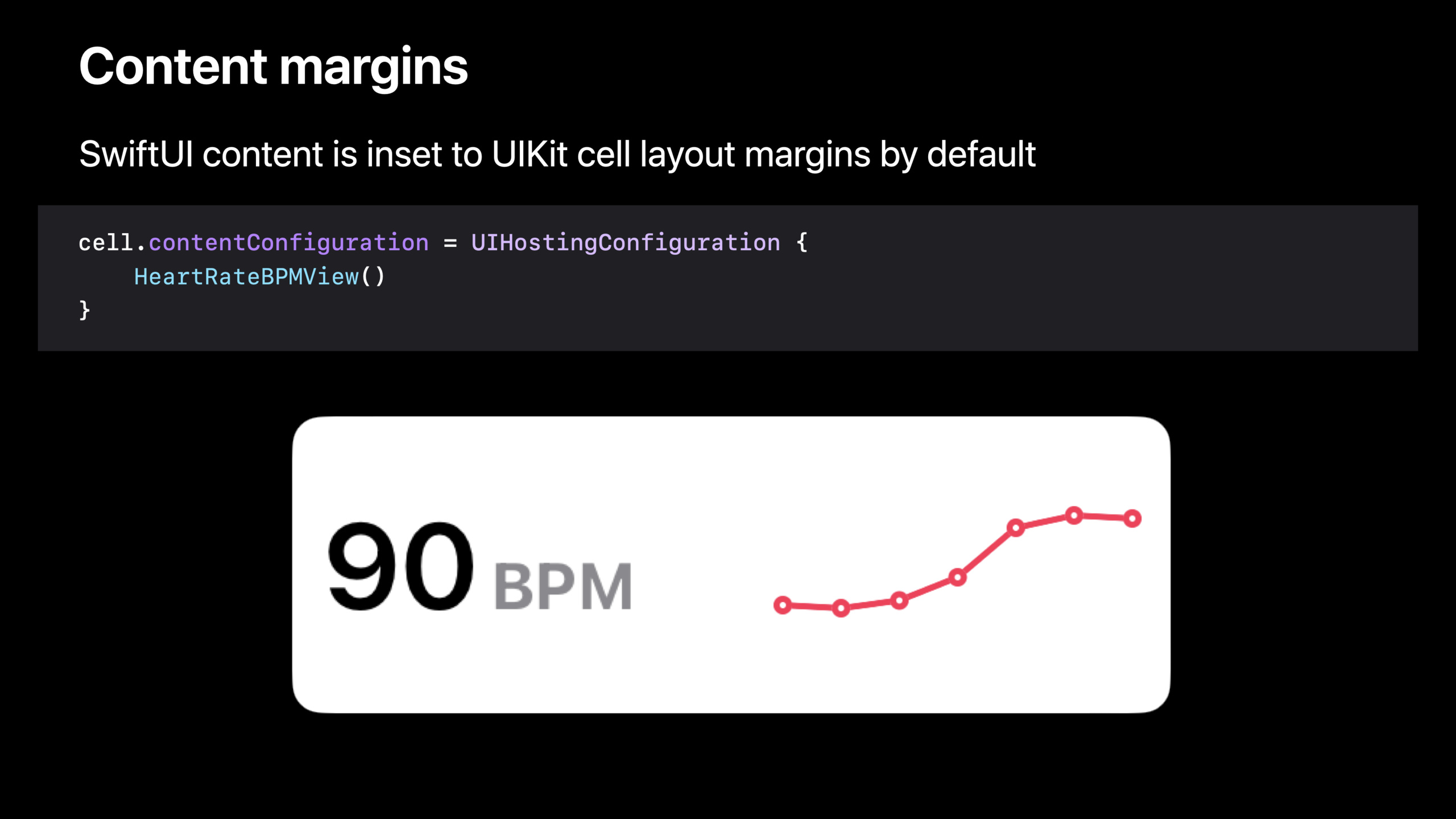
SwiftUI Cell in UICollectionView/UITableView。今年最重要的新能力:可以用 SwiftUI 视图直接作为 collection view 和 table view 的 cell。这意味着复杂的数据可视化 cell 可以用 SwiftUI 编写,同时保持 UIKit 的性能优势。
数据流的双向桥接。UIKit 应用通常有成熟的数据层(如 Core Data、DataSource)。SwiftUI 视图需要响应数据变化,关键是用 @ObservedObject 或 @EnvironmentObject 将现有的 Observable 对象桥接到 SwiftUI 视图中。
Hosting Configuration 模式。新的 UIHostingConfiguration 允许你为 cell 创建 SwiftUI 视图,同时保留 UIKit 的回滚复用(dequeue/reuse)机制。
代码片段
// 用 SwiftUI 视图作为 UICollectionView Cell
let registration = UICollectionView.CellRegistration<CollectionViewCell, Item> { cell, indexPath, item in
    cell.contentConfiguration = UIHostingConfiguration {
        // SwiftUI 视图作为 cell 内容
        HeartRateView(heartRate: item.heartRate, date: item.date)
    }
}

// UIHostingController 嵌入到 UIKit 导航
let hostingController = UIHostingController(rootView: HeartRateView())
navigationController?.pushViewController(hostingController, animated: true)

// 桥接 Observable 数据
class HealthDataStore: ObservableObject {
    @Published var heartRates: [HeartRate] = []
}

struct HeartRateView: View {
    @ObservedObject var store: HealthDataStore
    var body: some View {
        List(store.heartRates) { rate in
            Text("\(rate.bpm) BPM")
        }
    }
}
最佳实践
- 从独立的页面或 cell 开始引入 SwiftUI,不要试图一次性迁移整个模块
- UIHostingConfiguration 配合 cell reuse 机制使用,性能表现接近原生 UIKit cell
- 数据层保持不变,通过 ObservableObject 桥接到 SwiftUI
- 复杂的自定义 cell 是 SwiftUI 的最佳切入点——SwiftUI 的声明式语法让复杂布局更易维护
- 注意 SwiftUI 视图在 UIKit 中的布局约束传递,用 hostingController.sizingOptions 控制尺寸行为
还有什么值得关注
- UIKit 和 SwiftUI 的互操作是双向的——也可以在 SwiftUI 中嵌入 UIKit 视图
- Collection view 的 diffable data source 与 SwiftUI 视图配合使用效果很好
- 性能关键场景(如滚动大量 cell)需要评估 SwiftUI 视图的渲染开销
- 参考 “Bring SwiftUI to your UIKit apps” Session 获取更多互操作细节