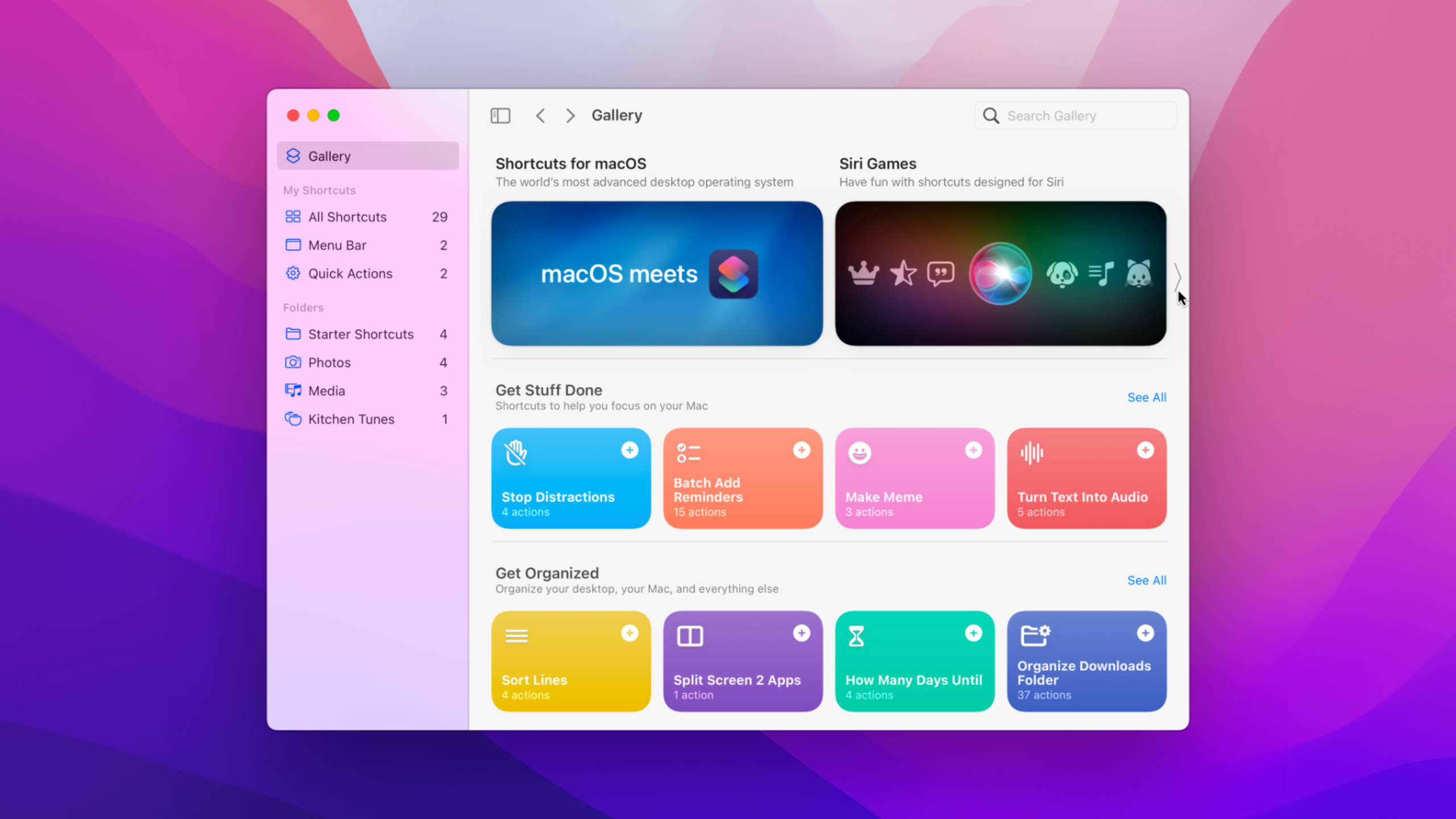
认识 macOS 上的快捷指令
Meet Shortcuts for macOS
2021年6月9日
一句话判断
macOS Monterey 终于迎来了 Shortcuts App——Automator 和 AppleScript 的现代替代品,你的 App 只需要定义 App Intents 就能被集成到用户的自动化工作流中。
这场 Session 讲了什么
Session 介绍了 macOS Monterey 中首次引入的 Shortcuts App。这是 iOS 上快捷指令的 macOS 版本,但与 Automator 深度集成——你可以把现有的 Automator 工作流导入 Shortcuts,也可以在 Shortcuts 中调用 AppleScript。
对开发者来说,核心信息是:通过定义 App Intents(基于 SiriKit Intent 或新的 App Intents 框架),你的 macOS App 的功能可以被用户直接嵌入到快捷指令中。用户可以把你的 App 的操作和其他系统的操作串联起来,形成自动化工作流。
还介绍了 Shortcuts 在 macOS 上的独有特性:菜单栏快速访问、Finder 集成、以及通过 Shortcuts CLI 在终端中运行快捷指令(方便脚本化)。
值得深挖的点
Automator 到 Shortcuts 的过渡策略
Apple 明确表示 Shortcuts 是 Automator 的未来替代品。macOS Monterey 中两者并存,你可以导入 Automator 工作流到 Shortcuts,但反向不行。对于已经有大量 Automator 工作流的用户,Shortcuts 提供了自动导入功能。但更复杂的 AppleScript 工作流需要手动迁移——Shortcuts 的 “Run AppleScript” action 可以执行任意 AppleScript 代码,这是过渡期的安全网。
Shortcuts CLI 的自动化潜力
macOS 上的 shortcuts 命令行工具让你可以在终端、shell 脚本或其他自动化工具中运行快捷指令。shortcuts run "My Shortcut" -i input.txt -o output.txt 这种调用方式让 Shortcuts 成为 macOS 自动化生态的一部分——你可以用 cron 定时跑、用 SSH 远程触发、用其他脚本语言编排。
代码片段
用命令行运行快捷指令
// 终端中运行快捷指令
// shortcuts run "压缩图片" -i ~/Desktop/photo.jpg -o ~/Desktop/compressed.jpg

// 列出所有可用的快捷指令
// shortcuts list

// 查看某个快捷指令的详细信息
// shortcuts view "压缩图片"
定义一个简单的 App Intent
import AppIntents

// 定义你的 App 支持的 Intent
struct ResizeImageIntent: AppIntent {
    static var title: LocalizedStringResource = "调整图片大小"
    static var description = IntentDescription("将图片调整到指定尺寸")

    @Parameter(title: "输入图片")
    var image: IntentFile

    @Parameter(title: "目标宽度", default: 1024)
    var width: Int

    static var parameterSummary: some ParameterSummary {
        Summary("调整 \(\.$image) 到 \(\.$width) 像素宽")
    }

    func perform() async throws -> some IntentResult & ReturnsValue<IntentFile> {
        let result = try resizeImage(image.data, width: width)
        return .result(value: IntentFile(data: result, filename: "resized.png"))
    }
}
在 Automator 工作流中使用 Shortcuts
// Automator 中可以添加 "Run Shortcut" action
// 或者在 AppleScript 中调用:
// tell application "Shortcuts Events"
//     run shortcut "我的快捷指令" with input "hello"
// end tell

// Shortcuts 也可以运行 AppleScript:
// 在 Shortcuts App 中添加 "Run AppleScript" action
// on run {input, parameters}
//     tell application "Finder"
//         -- 你的 AppleScript 代码
//     end tell
//     return input
// end run
最佳实践
App 开发者: 为你的 macOS App 的核心功能定义 App Intents。从最常用的 3-5 个操作开始——文件操作、数据导出、常用设置切换。让用户能在 Shortcuts 中发现和使用你的 App 的功能。
迁移用户: 先用 Shortcuts 的导入功能迁移简单的 Automator 工作流。复杂的、依赖 AppleScript 的工作流暂时保留在 Automator 中,用 “Run AppleScript” action 逐步过渡。
还有什么值得关注
- macOS 的 Shortcuts 支持通过 Focus 模式自动触发。
- 菜单栏中的 Shortcuts 小组件让常用快捷指令一键触达。
- iOS 和 macOS 的快捷指令可以跨平台同步(iCloud)。