Foundation 框架新变化
What's new in Foundation
2021年6月9日
一句话判断
Foundation 在 iOS 15 中迎来了 Swift 原生化的关键一步 —— Formatter 终于有了 async/await 版本、JSON 解码支持了 Fragment、URLSession 的 async API 覆盖了常用场景,但这些改进更像是还技术债而不是革命性更新。
这场 Session 讲了什么
Session 梳理了 Foundation 框架在 iOS 15 / macOS 12 中的更新。核心内容:
- Async/Await 集成:
URLSession、fileManager、JSONDecoder等常用 API 增加了 async 版本。 - Formatter 改进:
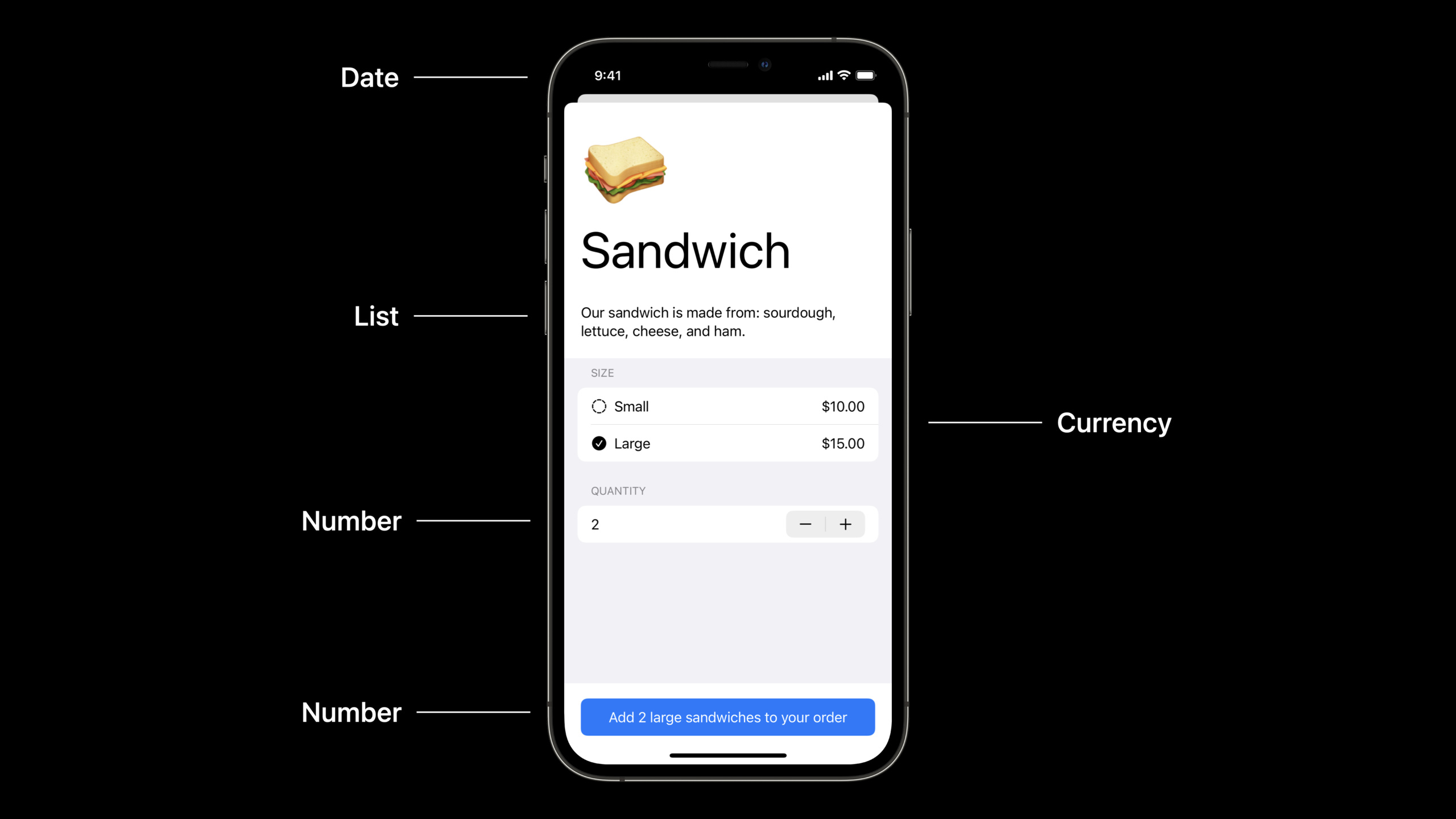
Date.FormatStyle、Number.FormatStyle、ListFormatter等新增了 Swift-native 的格式化 API,替代了古老的DateFormatter和NumberFormatter。 - JSON 解码增强:
JSONDecoder支持解析 JSON Fragment(不再要求顶层必须是 Object 或 Array)、支持 top-level JSON5 格式。 - AttributedString:Swift 原生的富文本类型,替代
NSAttributedString,支持 Markdown 解析。 - 系统通知调度:
BGTaskScheduler的改进和新的UNNotificationasync API。
值得深挖的点
FormatStyle 的链式调用设计。新的 Date.FormatStyle 使用了 result builder 风格的链式 API:Date.now.formatted(.dateTime.year().month().day())。这比 DateFormatter 的 dateFormat = "yyyy-MM-dd" 更安全 —— 编译器检查格式组件,不会因为手写格式字符串拼错一个字母就输出错误日期。但性能方面,FormatStyle 每次调用都会创建新的 formatter 实例,高频场景(如列表渲染)建议缓存。
AttributedString 的 Markdown 解析。AttributedString(markdown: "**加粗** 和 *斜体*") 可以直接从 Markdown 字符串创建富文本。支持 CommonMark 标准的子集(加粗、斜体、链接、代码、列表)。这对 SwiftUI 的 Text 组件特别有用 —— 你可以直接用 Text(attributedString) 渲染带样式的文本,不需要 NSAttributedString 桥接。
代码片段
新的日期格式化 API:
import Foundation

// 链式调用的日期格式化
let now = Date.now
print(now.formatted(.dateTime.year().month().day()))  // "2021年6月9日"
print(now.formatted(.dateTime.hour().minute()))       // "14:30"

// 自定义格式组合
let customStyle = Date.FormatStyle()
    .year(.defaultDigits)
    .month(.abbreviated)
    .day()
    .hour(.defaultDigits(amPM: .abbreviated))
    .minute()
print(now.formatted(customStyle))  // "Jun 9, 2021, 2:30 PM"

// 相对时间格式
let pastDate = Date.now.addingTimeInterval(-3600)
print(pastDate.formatted(.relative(presentation: .named)))  // "1小时前"
AttributedString 的 Markdown 支持:
import Foundation

// 从 Markdown 创建 AttributedString
let markdownText = try! AttributedString(
    markdown: """
    # 欢迎使用 MyApp
    这是 **加粗文字** 和 *斜体文字*。
    [点击这里](https://example.com) 查看更多。
    """
)

// 遍历和修改属性
var attributed = AttributedString("Hello, WWDC!")
attributed.font = .systemFont(ofSize: 16)
// 给部分文字添加不同样式
let range = attributed.range(of: "WWDC")!
attributed[range].foregroundColor = .blue
attributed[range].font = .systemFont(ofSize: 20, weight: .bold)

// 在 SwiftUI 中直接使用
// Text(attributed)
JSON Fragment 解码:
import Foundation

// 以前:JSON 顶层必须是 Object 或 Array
// 现在:支持解析独立的值(Fragment)
let jsonFragment = "42".data(using: .utf8)!
let decoder = JSONDecoder()
// 解码单个数字(JSON Fragment)
let number = try decoder.decode(Int.self, from: jsonFragment)
print(number)  // 42

// 解码 JSON 字符串 Fragment
let stringFragment = "\"Hello, WWDC\"".data(using: .utf8)!
let string = try decoder.decode(String.self, from: stringFragment)
print(string)  // "Hello, WWDC"
最佳实践
- 新项目用
FormatStyle替代DateFormatter。编译时类型检查和自动本地化是实打实的优势。旧项目不需要立即迁移,DateFormatter不会废弃。 - AttributedString 配合 SwiftUI 使用。在 UIKit 中还是用
NSAttributedString,SwiftUI 中用AttributedString,避免不必要的桥接开销。 - JSON Fragment 解码适合解析服务端返回的简单响应。如果 API 返回
"ok"或123这种非标准 JSON,现在可以直接解码,不用包一层{"value": 123}。
还有什么值得关注
JSONDecoder新增了JSON5格式支持,允许解析包含注释和尾逗号的 JSON。FileManager新增了 async 版本的文件操作 API。Locale的 Swift API 做了大幅清理,Locale.current改为Locale.localizationPreferred。