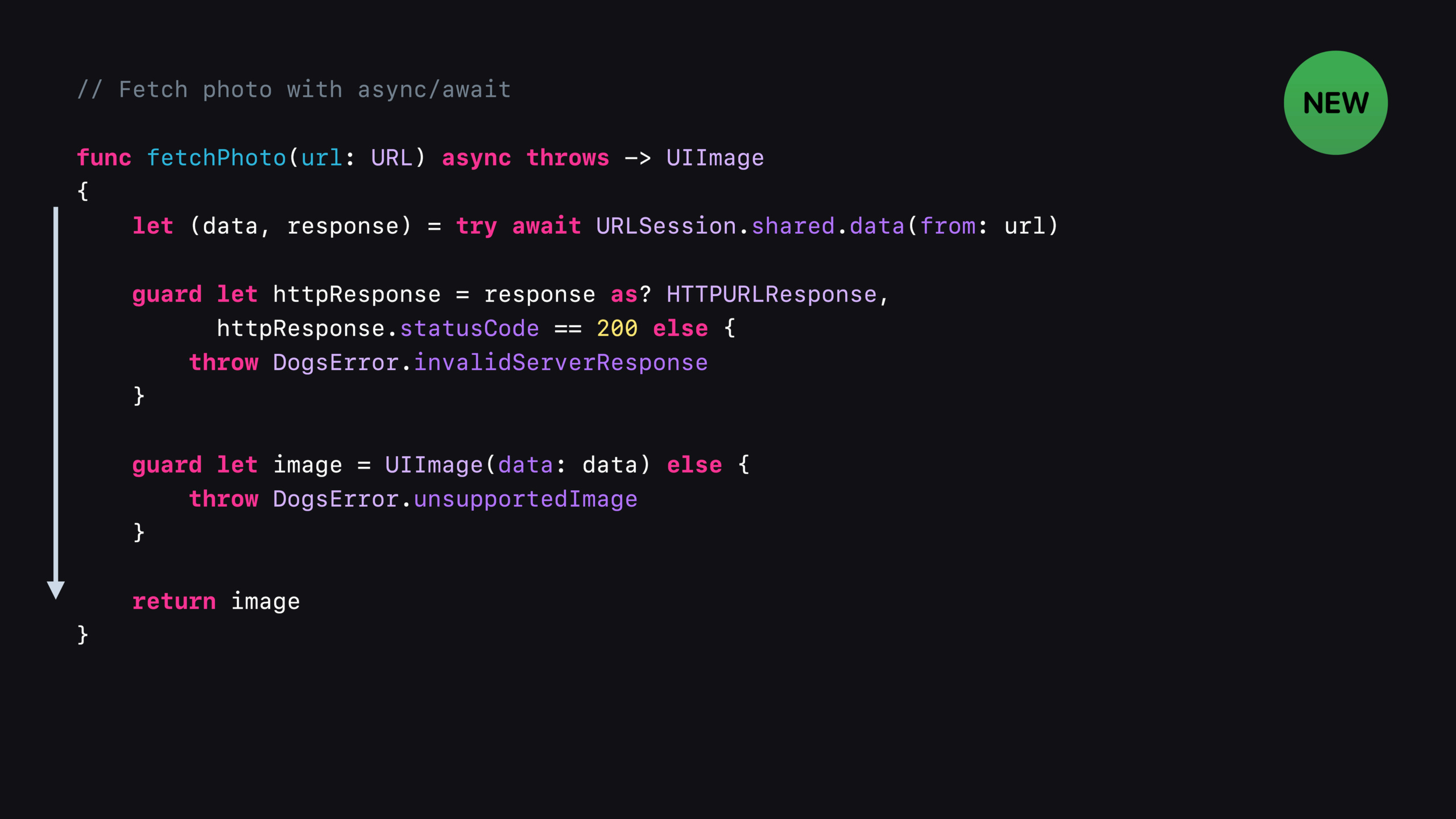
在 URLSession 中使用 async/await
Use async/await with URLSession
2021年6月9日
一句话判断
URLSession 的 async/await API 不是简单的语法糖 —— 它彻底消灭了嵌套回调地狱和手动管理 Resume Data 的复杂度,网络层代码量能砍掉一半,但你需要理解 structured concurrency 的取消语义才能用好它。
这场 Session 讲了什么
Session 讲解了 Swift 5.5 的 async/await 如何与 URLSession 集成。iOS 15 中 URLSession 新增了三个核心的 async 方法:data(for:)(普通请求)、data(for:delegate:)(带代理的请求)、upload(for:from:)(上传请求)。
这些方法直接返回 Data 和 URLResponse,不再需要 closure 回调。错误处理用 try/catch,任务取消用 Task.cancel()。Session 用多个实例对比了 callback 版本和 async/await 版本的代码复杂度,展示了新 API 如何简化常见的网络编程模式:串行请求、并行请求、请求链、重试逻辑。
还讨论了 URLSessionTask 在 structured concurrency 中的生命周期管理。
值得深挖的点
data(for:delegate:) 的代理模式变化。在 callback 时代,如果你需要监听上传进度或处理重定向,需要设置 URLSessionTaskDelegate 并实现多个回调方法。async 版本通过 delegate 参数传入代理对象,请求完成后代理的回调方法仍然正常触发。但要注意:代理的回调方法在 data(for:delegate:) 的 async 调用返回之前执行,你不能在代理回调中再次 await 同一个 session 的方法,否则会死锁。
自动 Resume Data 处理。当网络请求因为取消或失败需要重试时,传统 API 需要手动检查 error.userInfo[NSURLSessionDownloadTaskResumeData] 来保存断点。async/await 版本通过 URLError.downloadResumeData 直接在 catch 中暴露 resume data,配合 Task 的取消机制,重试逻辑变得非常干净。
代码片段
基础 async/await 网络请求:
import Foundation

// 对比:callback 版本 vs async/await 版本

// === 旧写法:嵌套回调 ===
func fetchUserCallback(id: Int, completion: @escaping (Result<User, Error>) -> Void) {
    let url = URL(string: "https://api.example.com/users/\(id)")!
    URLSession.shared.dataTask(with: url) { data, response, error in
        if let error = error {
            completion(.failure(error))
            return
        }
        guard let data = data else {
            completion(.failure(NSError(domain: "NoData", code: -1)))
            return
        }
        do {
            let user = try JSONDecoder().decode(User.self, from: data)
            completion(.success(user))
        } catch {
            completion(.failure(error))
        }
    }.resume()
}

// === 新写法:async/await ===
func fetchUser(id: Int) async throws -> User {
    let url = URL(string: "https://api.example.com/users/\(id)")!
    let (data, response) = try await URLSession.shared.data(from: url)
    guard let httpResponse = response as? HTTPURLResponse,
          (200...299).contains(httpResponse.statusCode) else {
        throw URLError(.badServerResponse)
    }
    return try JSONDecoder().decode(User.self, from: data)
}并行请求和取消:
import Foundation

func loadDashboard() async throws -> Dashboard {
    // 三个请求并行发起
    async let userProfile = fetchUser(id: currentUserID)
    async let feedItems = fetchFeed(page: 1)
    async let notifications = fetchNotifications()

    // 等待所有请求完成
    return try await Dashboard(
        user: userProfile,
        feed: feedItems,
        notifications: notifications
    )
}

// 带超时和取消的网络请求
func fetchWithTimeout(url: URL, timeout: TimeInterval = 10) async throws -> Data {
    try await withThrowingTaskGroup(of: Data.self) { group in
        group.addTask {
            let (data, _) = try await URLSession.shared.data(from: url)
            return data
        }
        group.addTask {
            try await Task.sleep(nanoseconds: UInt64(timeout * 1_000_000_000))
            throw URLError(.timedOut)
        }
        // 返回最先完成的结果
        let result = try await group.next()!
        group.cancelAll()  // 取消超时任务
        return result
    }
}带代理的请求(监听进度):
import Foundation

class DownloadManager: NSObject, URLSessionTaskDelegate {
    let session: URLSession

    override init() {
        self.session = URLSession(configuration: .default, delegate: nil, delegateQueue: nil)
        super.init()
        self.session = URLSession(configuration: .default, delegate: self, delegateQueue: .main)
    }

    func downloadFile(from url: URL) async throws -> URL {
        // 使用带代理的 async 方法
        let (tempURL, response) = try await session.download(for: URLRequest(url: url), delegate: self)
        return tempURL
    }

    // 代理回调:监听下载进度
    func urlSession(
        _ session: URLSession,
        task: URLSessionTask,
        didCompleteWithError error: Error?
    ) {
        if let error = error {
            print("下载失败: \(error)")
        }
    }
}
最佳实践
- 把网络层统一封装成 async 函数。不要在部分地方用 async/await、部分地方用 callback。统一之后可以消除所有的 completion handler 模板代码。
- 并行请求用
async let而不是TaskGroup,除非你需要动态数量的并发任务。async let更直观,编译器会帮你管理生命周期。 - 请求取消要处理 partial data。当
Task.cancel()被调用时,正在进行的网络请求不会立即中断,而是在下一次 suspend point 抛出CancellationError。如果你需要保存中间结果,在 catch 块中处理。
还有什么值得关注
URLSession的 async API 同时支持data、download、upload三种任务类型。try await URLSession.shared.data(from:)自动处理 HTTP 重定向(最多 5 次)。- 在 Swift concurrency 中,URLSession 的 delegate queue 应设为 nil(使用 cooperative thread pool)而不是手动指定 OperationQueue。