使用 ShazamKit 创建自定义音频体验
Create custom audio experiences with ShazamKit
2021年6月11日
一句话判断
如果你已经有了 Explore ShazamKit 的基础,这场 Session 教你如何用 Custom Catalog 做更有趣的事情——比如让 app 知道用户正在看哪个电视节目的哪一分钟。
这场 Session 讲了什么
这场 Session 是 “Explore ShazamKit” 的进阶篇,聚焦于 Custom Catalog 的实际应用和高级配置。如果说 Explore 场主要讲 API,这场则聚焦于完整的产品设计和工程实现。
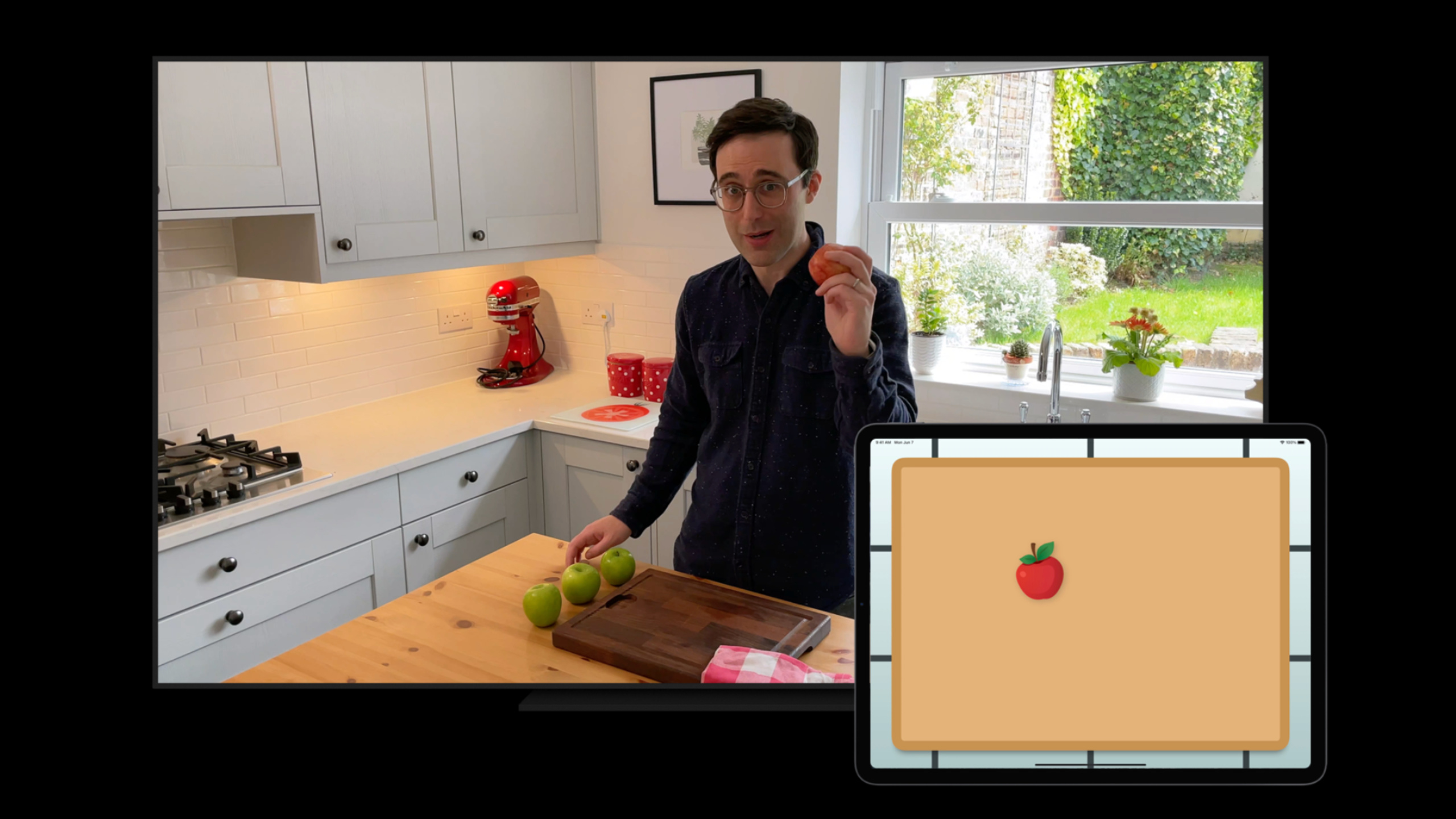
Session 用一个「电视节目同步」的场景贯穿全场。用户打开 app,app 监听电视声音,识别出正在播放的节目和具体片段,然后在手机上展示同步的互动内容。这个场景涉及的核心问题是:如何构建一个足够大但不至于撑爆 app 体积的 Custom Catalog。
解决方案是增量下载。你可以把一季节目的音频指纹按集拆分成多个小的 catalog 文件,app 只下载当前正在播放的那一集的 catalog。识别成功后,SHMatch 的 matchedMediaItems 中包含了时间偏移信息,你可以精确到秒地知道用户正在看哪个片段。
另外还讨论了匹配精度优化。Custom Catalog 的匹配精度受音频质量和录制环境影响很大。Session 建议在生成指纹时使用高质量的音频源(至少 44.1kHz),并避免使用有损压缩格式(比如 128kbps MP3)。
值得深挖的点
时间偏移的精确匹配
SHMatch 对象中包含了一个 timestamp 属性,表示匹配到的音频在原始文件中的位置。结合 SHMatchedMediaItem 的 predictedCurrentMatchOffset,你可以计算出用户当前听到的是原始音频的第几秒。这个精度通常在 1-2 秒以内,足够做歌词同步、互动问答等场景。
多 Catalog 的管理策略
如果你的 app 需要匹配大量不同的音频(比如几百个广告),把所有指纹放在一个巨大的 Catalog 中会导致匹配速度变慢。更好的方式是使用多个小 Catalog,根据上下文切换。比如一个广告监测 app 可以只加载当前正在播放的电视频道的广告 Catalog。
代码片段
// 完整的音频识别同步体验
import ShazamKit

class TVSyncManager: NSObject, SHSessionDelegate {
    let session = SHSession()
    let audioEngine = AVAudioEngine()
    var currentCatalog: SHCustomCatalog?

    override init() {
        super.init()
        session.delegate = self
    }

    // 加载特定集数的 catalog
    func loadEpisodeCatalog(episodeId: String) async throws {
        let urlString = "https://api.example.com/catalogs/\(episodeId).shazamcatalog"
        guard let url = URL(string: urlString) else { return }

        // 下载 catalog 文件
        let (localURL, _) = try await URLSession.shared.download(from: url)

        let catalog = try SHCustomCatalog(contentsOf: localURL)
        currentCatalog = catalog
        try catalog.add(to: session)
    }

    func session(_ session: SHSession, didFind match: SHMatch) {
        guard let item = match.items.first else { return }

        let mediaItem = item.mediaItem
        let title = mediaItem?.title ?? "未知片段"

        // 获取时间偏移 —— 用户当前在看第几秒
        let offset = item.prediction.currentMatchOffset
        print("识别到: \(title), 时间偏移: \(offset)秒")

        // 根据时间偏移展示对应的互动内容
        DispatchQueue.main.async {
            self.showInteractiveContent(for: title, at: offset)
        }
    }

    func showInteractiveContent(for segment: String, at offset: TimeInterval) {
        // 根据片段和时间展示互动 UI
        // 比如:显示投票、问答、购买链接
    }
}
// Catalog 增量更新管理
class CatalogManager {
let cacheDirectory: URL
init() {
let caches = FileManager.default.urls(for: .cachesDirectory, in: .userDomainMask)[0]
cacheDirectory = caches.appendingPathComponent("ShazamCatalogs")
try? FileManager.default.createDirectory(at: cacheDirectory, withIntermediateDirectories: true)
}
func getCatalogURL(for episodeId: String) -> URL {
return cacheDirectory.appendingPathComponent("\(episodeId).shazamcatalog")
}
func isCatalogCached(episodeId: String) -> Bool {
let url = getCatalogURL(for: episodeId)
return FileManager.default.fileExists(atPath: url.path)
}
func downloadCatalog(episodeId: String) async throws -> URL {
let remoteURL = URL(string: "https://cdn.example.com/catalogs/\(episodeId).shazamcatalog")!
let (localURL, _) = try await URLSession.shared.download(from: remoteURL)
// 移动到缓存目录
let destination = getCatalogURL(for: episodeId)
try? FileManager.default.removeItem(at: destination)
try FileManager.default.moveItem(at: localURL, to: destination)
return destination
}
}最佳实践
生成 Custom Catalog 时,音频源的质量直接决定匹配精度。建议使用 WAV 或 FLAC 格式,采样率 44.1kHz 以上。如果你只有 MP3 格式的源文件,至少保证 256kbps 以上的码率。
对于长时间运行的音频(比如一小时的综艺节目),不要把整段音频生成一个 fingerprint。按 5-10 分钟的片段分割,每个片段生成独立的 Reference Signature,这样匹配更快,时间偏移也更精确。
还有什么值得关注
- ShazamKit 的 Custom Catalog 生成工具支持批量处理,可以用脚本一次性处理整个音频库。
SHSession支持同时匹配 Shazam Catalog 和 Custom Catalog,不需要创建多个 session。- 在 macOS 上,
SHSignatureGenerator可以直接从AVAsset生成指纹,在 iOS 上这个功能不可用。