使用 Metal Performance Shaders Graph 构建自定义 ML 模型
Build customized ML models with the Metal Performance Shaders Graph
2020年6月25日
一句话判断
MPSGraph 是苹果给高级 ML 开发者准备的底层计算图框架——你可以用 Metal Shading Language 直接在 GPU 上构建自定义神经网络算子,绕过 Core ML 的限制,适合做非标准模型架构和推理优化。
这场 Session 讲了什么
MPSGraph(Metal Performance Shaders Graph)是苹果在 2020 年推出的新框架,位于 Core ML 之下、Metal 之上。它提供了一套计算图 API,让开发者可以直接在 GPU 上构建和执行自定义的 ML 推理管道。
与 Core ML 的区别:Core ML 是高层框架,你给它一个 .mlmodel 文件,它负责调度执行。MPSGraph 是底层框架,你可以定义每一个计算节点(卷积、矩阵乘、激活函数等),精确控制 GPU 上的数据流和内存布局。
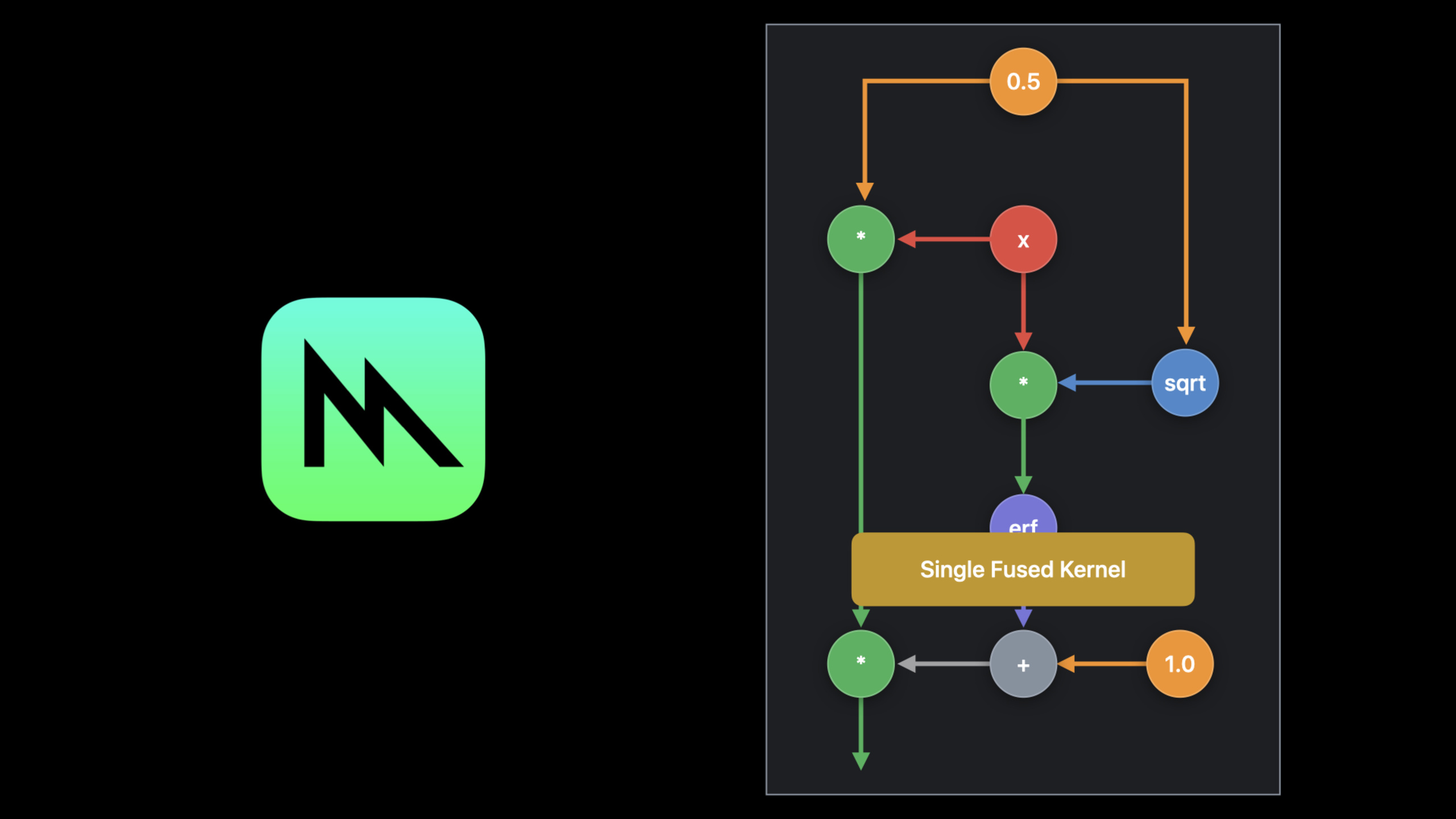
Session 详细讲解了 MPSGraph 的计算图构建 API、如何定义自定义算子(Custom Ops)、如何与 Core ML 模型集成、以及如何利用 MPSGraph 的自动内存管理和内核调度优化。
值得深挖的点
什么时候需要 MPSGraph
大多数开发者应该用 Core ML,它已经足够高效。MPSGraph 适用于以下场景:你的模型包含 Core ML 不支持的算子(如自定义注意力机制)、你需要精确控制 GPU 内存分配(如大规模推理服务)、你需要在 Metal 和 ML 计算之间做无缝切换(如实时渲染 + AI 推理的 AR 应用)。
与 Core ML 的集成路径
MPSGraph 不是要替代 Core ML,而是它的补充。你可以用 MPSGraph 实现自定义算子,然后通过 MPSNDArray 和 MLMultiArray 的桥接层把结果送回 Core ML 管道。苹果推荐的模式是:标准层用 Core ML,自定义层用 MPSGraph,两者在同一个推理管道中协同工作。
代码片段
import MetalPerformanceShadersGraph

// 构建一个简单的卷积神经网络推理图
func buildConvolutionGraph() {
    let device = MTLCreateSystemDefaultDevice()!
    let graph = MPSGraph()

    // 定义输入张量(NCHW 格式)
    let input = MPSGraphTensor(
        shape: [1, 3, 224, 224],
        dataType: .float32
    )

    // 第一层:卷积
    // 权重形状:[输出通道, 输入通道, 卷积核高, 卷积核宽]
    let convWeights = graph.constant(
        MPSNDArray(device: device, shape: [32, 3, 3, 3], dataType: .float32),
        name: "conv1_weights"
    )

    let conv1 = graph.convolution2D(
        input,
        weights: convWeights,
        stridesInX: 1, stridesInY: 1,
        dilationRateInX: 1, dilationRateInY: 1,
        padding: .same,
        name: "conv1"
    )

    // ReLU 激活
    let relu1 = graph.reLU(conv1, name: "relu1")

    // 最大池化
    let pool1 = graph.maxPooling2D(
        relu1,
        kernelWidth: 2, kernelHeight: 2,
        strideInX: 2, strideInY: 2,
        name: "pool1"
    )

    // 全连接层
    let fcWeights = graph.constant(
        MPSNDArray(device: device, shape: [10, 32 * 112 * 112], dataType: .float32),
        name: "fc_weights"
    )

    // 展平后接全连接
    let flatten = graph.reshape(pool1, shape: [1, 32 * 112 * 112], name: "flatten")
    let logits = graph.matrixMultiplication(
        primary: fcWeights,
        secondary: flatten,
        name: "logits"
    )

    // Softmax 输出
    let probabilities = graph.softMax(logits, axis: 1, name: "probabilities")

    // 编译并执行
    let commandQueue = device.makeCommandQueue()!
    let commandBuffer = commandQueue.makeCommandBuffer()!

    // 准备输入数据
    let inputData = MPSNDArray(device: device, shape: [1, 3, 224, 224], dataType: .float32)

    // 执行推理
    let resultData = graph.execute(
        feeds: [input: inputData],
        targetTensors: [probabilities],
        targetOperations: nil,
        commandBuffer: commandBuffer
    )

    commandBuffer.commit()
    commandBuffer.waitUntilCompleted()

    // 读取输出
    let probs = resultData[probabilities]!
    print("输出概率: \(probs)")
}
最佳实践
- 先用 Core ML 验证模型。在用 MPSGraph 重写之前,先用 Core ML 跑通整个模型,确认精度和性能。只有当 Core ML 不满足需求时才考虑 MPSGraph。
- 利用 MPSGraph 的自动内存管理。不要手动管理 Metal buffer 的分配和回收。MPSGraph 内部有内存池和自动释放机制,比你手动管理更高效。
- 在 A11 及以上芯片上测试性能。MPSGraph 的性能高度依赖 GPU 架构。在 A11(iPhone 8)和 A14(iPhone 12)上的性能差距可能很大,要做全面的设备覆盖测试。
还有什么值得关注
- MPSGraph 支持动态形状(Dynamic Shape),可以处理变长序列(如 NLP 模型)而不需要预定义 batch size。
- 苹果的 ML Compute 框架(用于训练)底层也使用 MPSGraph,两者共享同一套 GPU 内核。
- MPSGraph 的计算图可以用
.dot格式导出,用 Graphviz 可视化调试。