Media & Web 入门 20m
了解 Apple TV 的搜索建议
Discover search suggestions for Apple TV
2020年6月23日
一句话判断
如果你的 tvOS 应用有可搜索的内容,集成搜索建议可以让用户更快找到想看的东西——而且实现起来只需要几十行代码。
这场 Session 讲了什么
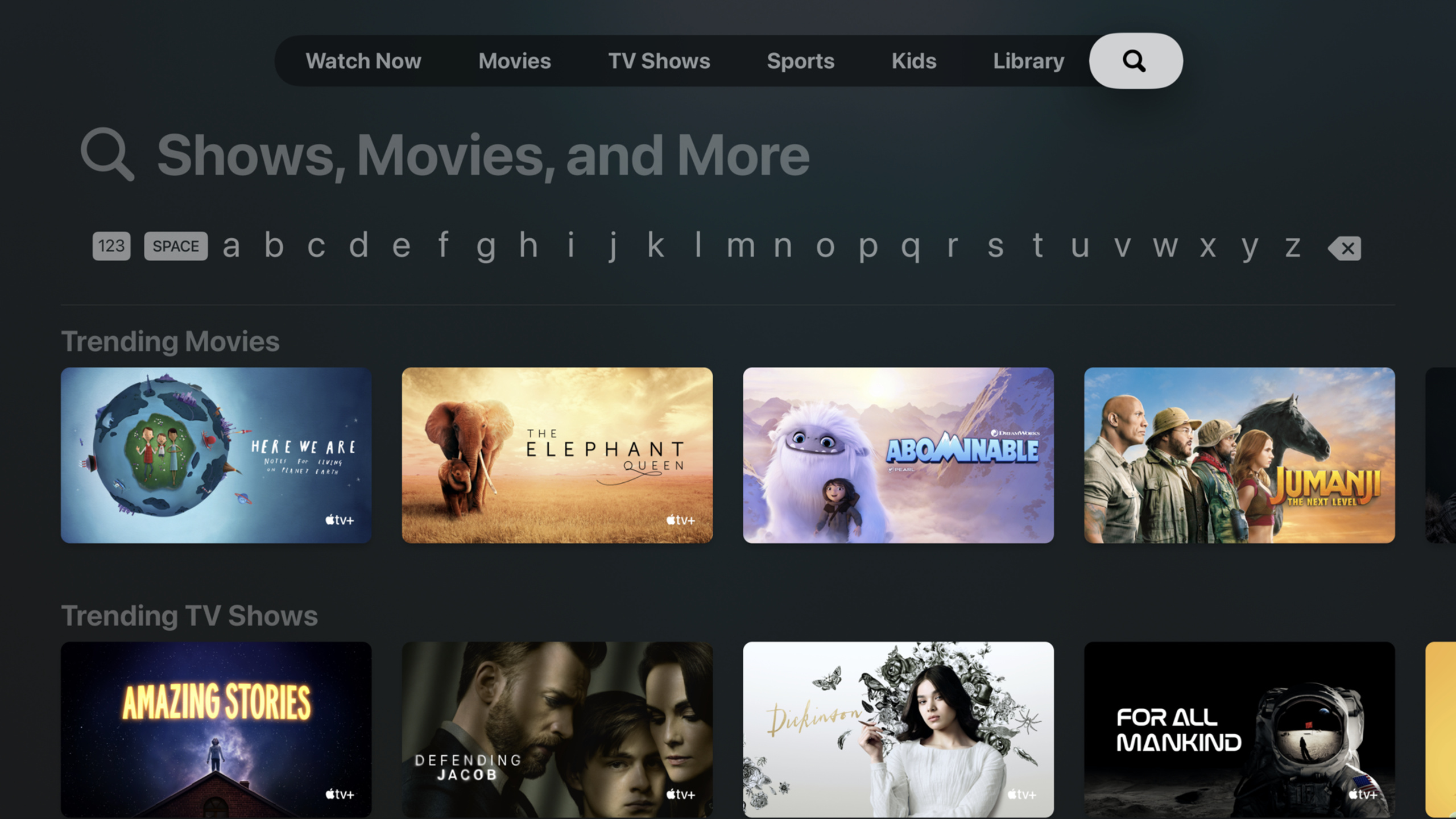
这场 Session 介绍了 tvOS 14 中新增的搜索建议(Search Suggestions)功能。Apple TV 的搜索体验一直是用户发现内容的主要入口——用户用 Siri 或屏幕键盘输入关键词,系统会搜索所有已安装的媒体应用。2020 年,Apple 增强了这个体验,允许第三方应用提供搜索建议。
演讲者首先讲解了 tvOS 搜索的工作原理。当用户在 Apple TV 的搜索界面输入文字时,系统会向所有声明了搜索能力的应用发送查询请求。应用收到查询后,返回匹配的搜索建议列表,系统将所有应用的建议合并展示给用户。
Session 的核心部分介绍了如何实现搜索建议。你需要在 tvOS App 中集成 Core Spotlight 索引,或者实现新的 CSSearchableIndex 的增量更新机制。更直接的方式是采用 Apple 的新的 Search API,通过 App Store Connect 配置你的内容目录,让系统自动索引。
演讲者还讨论了搜索结果的展示优化——如何设置标题、副标题、缩略图、内容类型等元数据,让你的搜索结果在统一的搜索界面中更有吸引力。
值得深挖的点
- 全局搜索 vs 应用内搜索:tvOS 的搜索是全局的——用户不需要打开你的 App 就能搜索到你的内容。这意味着你的内容曝光不依赖于用户是否主动打开你的 App。但如果你的内容没有被正确索引,它就不会出现在全局搜索结果中。
- 内容元数据的质量:搜索建议的质量取决于你提供的元数据。一个好的搜索结果应该包含:清晰的标题、描述性的副标题、高质量的缩略图、以及正确的内容类型标记(电影、电视剧、直播等)。
代码片段
// 使用 Core Spotlight 索引内容
import CoreSpotlight

func indexContent() {
    let attributes = CSSearchableItemAttributeSet(
        contentClass: kUTTypeMovie as String
    )
    attributes.title = "星际穿越"
    attributes.contentDescription = "诺兰执导的科幻巨作"
    attributes.thumbnailData = thumbnailImageData

    // 设置内容类型和时长
    attributes.mediaTypes = [.video]
    attributes.duration = NSNumber(value: 10140)  // 169 分钟

    let item = CSSearchableItem(
        uniqueIdentifier: "movie_interstellar_2014",
        domainIdentifier: "movies",
        attributeSet: attributes
    )

    CSSearchableIndex.default().indexSearchableItems(
        [item]
    ) { error in
        if let error = error {
            print("索引失败: \(error)")
        }
    }
}
// 批量索引内容目录
func indexContentCatalog(movies: [Movie]) {
let items = movies.map { movie in
let attributes = CSSearchableItemAttributeSet(
contentClass: kUTTypeMovie as String
)
attributes.title = movie.title
attributes.contentDescription = movie.synopsis
attributes.rating = movie.rating
attributes.contentRating = movie.contentRating
return CSSearchableItem(
uniqueIdentifier: "movie_\(movie.id)",
domainIdentifier: "movies",
attributeSet: attributes
)
}
// 增量索引,避免一次性索引太多内容
CSSearchableIndex.default().indexSearchableItems(
items,
completionHandler: { error in
print("索引了 \(items.count) 个项目")
}
)
}// 处理搜索结果的点击
// 在 AppDelegate 中处理
func application(
_ application: UIApplication,
continue userActivity: NSUserActivity,
restorationHandler: @escaping ([UIUserActivityRestoring]?) -> Void
) -> Bool {
if userActivity.activityType == CSSearchableItemActionType {
if let identifier = userActivity.userInfo?[
CSSearchableItemActivityIdentifier
] as? String {
// 根据唯一标识符打开对应内容
openContent(withIdentifier: identifier)
return true
}
}
return false
}最佳实践
- 内容上线或更新时立即重新索引,确保搜索结果的时效性
- 缩略图使用 16:9 比例的高质量图片,在 TV 大屏上清晰可辨
- 为内容添加丰富的元数据(演员、导演、类型、评分),增加搜索匹配度
- 批量索引时使用
indexSearchableItems的批量接口,避免逐条索引 - 处理好搜索结果的点击回调,确保用户从搜索结果进入后能直接播放对应内容
还有什么值得关注
- tvOS 的搜索能力在后续版本中不断增强,包括 Siri 搜索的自然语言理解
- 如果你的内容支持 Universal Links,可以实现从搜索结果直接跳转到特定内容页
- 搭配 Apple 的 App Store Connect 内容目录配置,可以让你的内容在 Apple TV App 中直接展示
WWDC 2020