智能化设计:发现新机会
Design for intelligence: Discover new opportunities
2020年6月24日
一句话判断
三部曲的收尾篇,从”系统如何理解你的 App”角度出发,告诉你如何通过 Spotlite、Siri Knowledge 和 Location Suggestions 让你的内容和服务在系统各处被自然发现。
这场 Session 讲了什么
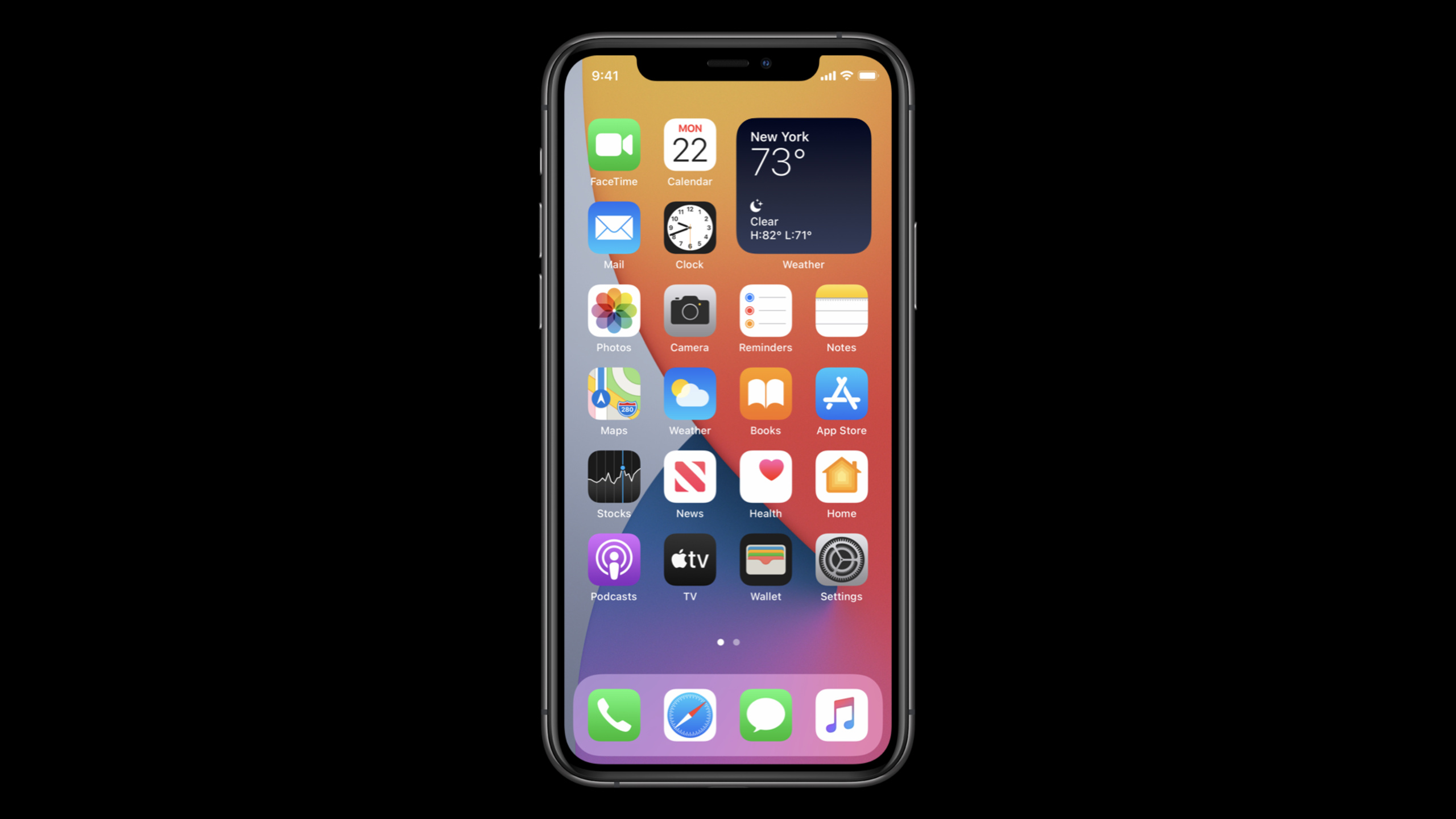
前两部讲了”与系统协作”的理念和策略,这一部聚焦在”发现”这个维度上。用户不可能记住每个 App 的所有功能,他们需要系统帮助发现合适的工具。iOS 14 提供了多个发现通道:Spotlight 搜索、Siri Suggestions、主屏 Widget、以及新的 App Clips。
Session 逐一分析了每个发现通道的特点和最佳实践。Spotlight 搜索适合”用户主动找”的场景,你需要通过 CSSearchableItem 提供丰富的搜索内容。Siri Suggestions 适合”系统主动推”的场景,依赖高质量的 Activity 捐赠。Widget 则是一个全新的”信息预览 + 快速操作”入口。Apple 强调,这些通道不是互斥的,而应该组成一个立体的触达网络。
值得深挖的点
从”拉”到”推”的发现模型
传统的 App 发现是”拉”模型——用户打开 App Store 搜索,或者打开你的 App 浏览功能。iOS 14 的智能发现是”推”模型——系统根据上下文主动把你的功能推给用户。比如用户到达健身房附近时,Siri Suggestions 会推荐健身 App 的签到功能。这种”推”模型的前提是你的捐赠数据足够丰富和准确,系统才能做出正确的推荐决策。
多通道一致性问题
当你的功能通过多个通道触达用户时,需要确保体验的一致性。用户从 Widget 进入看到的是 A 页面,从 Siri Suggestions 进入看到的也应该是功能一致的页面。Apple 建议为每个核心功能定义一个统一的 NSUserActivity,无论从哪个通道唤起都使用同一个 Activity 来恢复上下文。
代码片段
配置 Spotlight 可搜索内容
场景:让 App 中的餐厅信息可被 Spotlight 搜索到。
import CoreSpotlight

func indexRestaurant(_ restaurant: Restaurant) {
    // 创建搜索属性
    let attributes = CSSearchableItemAttributeSet(itemContentType: "text")
    attributes.title = restaurant.name
    attributes.contentDescription = "\(restaurant.cuisine) · \(restaurant.address) · ¥\(restaurant.averagePrice)/人"
    attributes.thumbnailData = restaurant.imageData

    // 支持按位置搜索
    attributes.latitude = restaurant.coordinate.latitude
    attributes.longitude = restaurant.coordinate.longitude
    attributes.supportsNavigation = true

    // 创建可搜索项
    let item = CSSearchableItem(
        uniqueIdentifier: "restaurant-\(restaurant.id)",
        domainIdentifier: "com.foodapp.restaurants",
        attributeSet: attributes
    )

    // 索引到 Spotlight
    CSSearchableIndex.default().indexSearchableItems([item]) { error in
        if let error = error {
            print("索引失败: \(error)")
        }
    }
}
统一的多通道入口处理
场景:无论从 Spotlight、Siri 还是 Widget 进入,都使用统一的 Activity 恢复。
// 在 SceneDelegate 中统一处理所有入口
func scene(_ scene: UIScene,
           continue userActivity: NSUserActivity) {

    switch userActivity.activityType {
    case "com.foodapp.view-restaurant":
        // 从 Spotlight 搜索结果进入
        handleRestaurantView(userActivity)
    case "com.foodapp.order":
        // 从 Siri Suggestion 进入
        handleQuickOrder(userActivity)
    case "INSendMessageIntent":
        // 从 Shortcuts 进入
        handleSendMessage(userActivity)
    default:
        break
    }
}

// 统一的餐厅查看处理
func handleRestaurantView(_ activity: NSUserActivity) {
    guard let restaurantId = activity.userInfo?["restaurantId"] as? String else {
        return
    }

    // 无论从哪个通道进入,都导航到同一个页面
    let vc = RestaurantDetailViewController(restaurantId: restaurantId)
    window?.rootViewController?.present(vc, animated: true)
}
持续索引与增量更新
场景:批量索引 App 内容并保持更新。
// 批量索引所有餐厅
func indexAllRestaurants() {
    RestaurantService.fetchAll { restaurants in
        let items = restaurants.map { restaurant in
            let attributes = CSSearchableItemAttributeSet(itemContentType: "text")
            attributes.title = restaurant.name
            attributes.contentDescription = restaurant.cuisine
            attributes.expirationDate = Date().addingTimeInterval(86400 * 7)  // 7 天过期

            return CSSearchableItem(
                uniqueIdentifier: "restaurant-\(restaurant.id)",
                domainIdentifier: "com.foodapp.restaurants",
                attributeSet: attributes
            )
        }

        CSSearchableIndex.default().indexSearchableItems(items)
    }
}

// 删除过期内容
func deleteOutdatedIndex() {
    CSSearchableIndex.default().deleteSearchableItems(
        withDomainIdentifiers: ["com.foodapp.restaurants"]
    )
}
最佳实践
已有项目:先从 Spotlight 索引入手,这是最直接的发现通道。把 App 中最核心的内容(文章、商品、联系人等)索引到 Spotlight,确保用户通过搜索能直接跳转到详情页。然后逐步添加 Activity 捐赠和 Widget 支持。
新项目:在信息架构设计阶段就规划好搜索索引策略。定义好每个内容类型的唯一标识符和 domainIdentifier。确保 App 能处理所有可能的入口场景——Spotlight、Siri、Widget、Universal Links——并且都能导航到正确的页面。
还有什么值得关注
- CSSearchableItem 支持设置 expirationDate,过期的内容会自动从搜索结果中移除。
- iOS 14 的 Spotlight 搜索支持 richer 搜索建议,包括图片和详细描述。
- 这三个 Session(10086/10087/10088)应该作为一个整体来理解,建议按顺序观看。