现代 Cell 配置方式
Modern cell configuration
2020年6月26日
一句话判断
Cell Configuration 是 iOS 14 在 UIKit 中引入的最重要的架构改进之一——它把 Cell 的配置逻辑从”在 cellForRowAt 中手动改 subview”变成了声明式的状态驱动方式,代码量和出错概率都大幅降低。
这场 Session 讲了什么
传统的 Cell 配置方式是在 cellForRow(at:) 中直接设置 Cell 的 subview 属性。这种方式的问题在于:你需要手动管理 Cell 的重置(否则复用 Cell 会显示上一条数据的状态),而且选中/高亮等状态变化需要在多个 delegate 方法中分别处理。
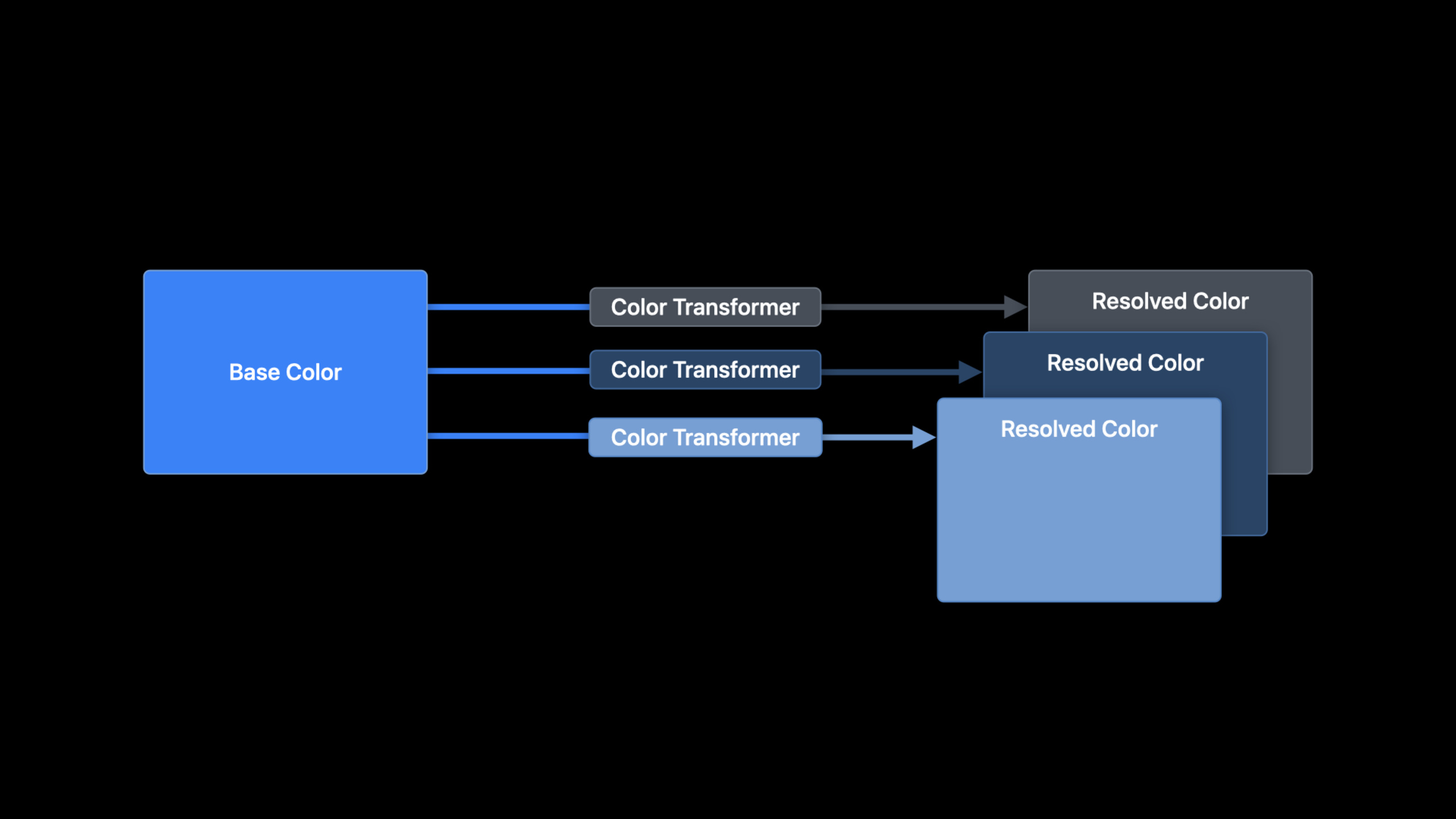
iOS 14 引入了 UIContentConfiguration 协议和 UIListContentConfiguration 标准实现。新的配置方式是声明式的:你创建一个 Configuration 对象描述 Cell 应该显示什么内容,系统自动处理状态变化和动画。
核心 API 包括:UIListContentConfiguration(标准列表 Cell 的配置,包含 text、secondaryText、image 等),UICollectionViewListCell.defaultContentConfiguration(),以及 cell.contentConfiguration 属性。Cell 还引入了 backgroundConfiguration 来独立配置背景。
值得深挖的点
从命令式到声明式的思维转变。 传统方式是”拿到 Cell → 修改 subview”,新方式是”创建 Configuration → 赋值给 Cell”。Configuration 是值类型(struct),这意味着你可以在 Cell 外部创建和测试配置,完全解耦了数据和 UI。
状态驱动的自动更新。 通过重写 updateConfiguration(using:) 方法,Cell 会在状态变化时(选中、高亮、拖拽等)自动调用这个方法。你只需要根据传入的 UICellConfigurationState 返回对应的 Configuration,系统会自动处理动画过渡。
代码片段
// 传统方式(不推荐)
func tableView(_ tableView: UITableView, cellForRowAt indexPath: IndexPath) -> UITableViewCell {
    let cell = tableView.dequeueReusableCell(withIdentifier: "Cell", for: indexPath)
    // 问题:复用 Cell 可能保留上一条数据的状态
    cell.textLabel?.text = items[indexPath.row].title
    cell.imageView?.image = items[indexPath.row].image
    return cell
}

// 现代方式:使用 Cell Configuration
let cellRegistration = UICollectionView.CellRegistration<UICollectionViewListCell, Item> { cell, indexPath, item in
    var content = cell.defaultContentConfiguration()
    content.text = item.title
    content.secondaryText = item.subtitle
    content.image = item.icon

    // 配置文本样式
    content.textProperties.font = .preferredFont(forTextStyle: .headline)
    content.textProperties.color = .label
    content.secondaryTextProperties.font = .preferredFont(forTextStyle: .caption1)

    // 配置图片
    content.imageProperties.maximumSize = CGSize(width: 40, height: 40)
    content.imageProperties.cornerRadius = 8

    cell.contentConfiguration = content
}
// 状态驱动的 Configuration 更新
class CustomCell: UICollectionViewListCell {
override func updateConfiguration(using state: UICellConfigurationState) {
// 根据当前状态生成新的 Configuration
var content = defaultContentConfiguration().updated(for: state)
if state.isSelected {
content.textProperties.color = .systemBlue
content.imageProperties.tintColor = .systemBlue
} else {
content.textProperties.color = .label
content.imageProperties.tintColor = .secondaryLabel
}
if state.isHighlighted {
content.textProperties.font = .preferredFont(forTextStyle: .headline)
}
contentConfiguration = content
// 同时更新背景配置
var background = UIBackgroundConfiguration.listGroupedCell().updated(for: state)
if state.isSelected {
background.backgroundColor = .systemBlue.withAlphaComponent(0.1)
}
self.backgroundConfiguration = background
}
}// Configuration 是值类型,可以在外部创建和复用
struct CellConfigurator {
static func makeContentConfiguration(for item: Item) -> UIListContentConfiguration {
var content = UIListContentConfiguration.valueCell()
content.text = item.title
content.secondaryText = item.detail
content.image = UIImage(systemName: item.iconName)
// 根据内容类型调整样式
if item.isImportant {
content.textProperties.font = .preferredFont(forTextStyle: .headline)
content.imageProperties.tintColor = .systemRed
}
return content
}
}最佳实践
- 重写
updateConfiguration(using:)而非在 delegate 中处理状态。 让 Cell 自己响应状态变化,代码更集中、更不容易遗漏。 - 使用
.updated(for: state)创建派生配置。 这个方法会在当前配置基础上应用状态相关的系统默认值,然后你再覆盖需要自定义的部分。 - 将 Configuration 的创建逻辑封装到独立函数中。 Configuration 是值类型,非常适合提取到单独的配置器中做单元测试。
- backgroundConfiguration 和 contentConfiguration 分开管理。 背景和内容是独立的关注点,分开配置更清晰。
还有什么值得关注
- UIListContentConfiguration 提供了多种预设样式(valueCell、subtitleCell、sideBarCell 等)
- backgroundConfiguration 支持自定义圆角、边框和阴影
- 新的 Configuration API 同时支持 UICollectionView 和 UITableViewCell
- 配合 Diffable Data Source 使用效果最佳